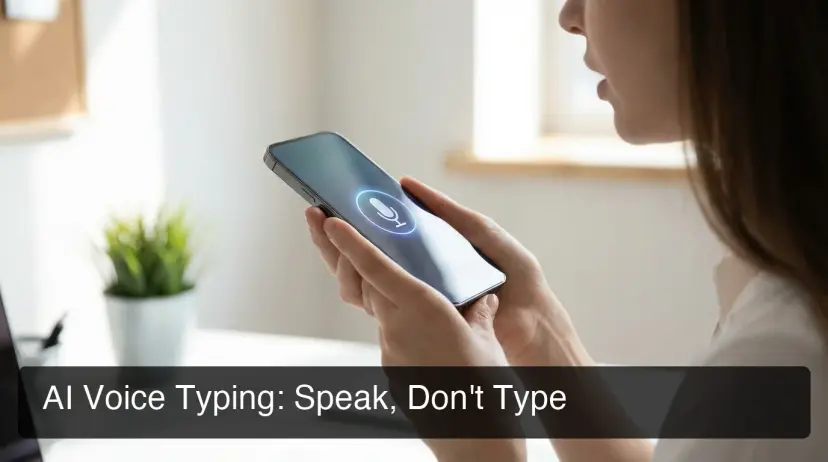
In today’s digital world, communication happens constantly—emails, chats, documents, and social media posts. Yet most people still rely on traditional typing, even though it’s far slower than how fast we think or speak. The average person types around 40 words per minute, while speaking speed can reach 120–150 words per minute. This gap wastes valuable time every day.
This is where AI voice typing comes in. Powered by advanced speech recognition and artificial intelligence, voice typing tools convert your spoken words into polished, readable text instantly. Instead of struggling with a keyboard, you simply speak—and the AI handles the typing, formatting, and even grammar corrections.
In this guide, you’ll learn how AI voice typing works, why it’s becoming a must-have productivity tool, and how modern AI keyboards are transforming the way we communicate.
What Is AI Voice Typing?
AI voice typing is a technology that converts spoken language into written text using speech recognition and artificial intelligence. Instead of manually typing messages, emails, or documents, you dictate them using your voice.
Modern voice typing tools do more than just transcription. They also:
- Remove filler words like “um” and “uh”
- Fix grammar mistakes automatically
- Add punctuation and formatting
- Understand context and intent
As a result, the output text often appears ready to send without manual editing.
For professionals, students, and content creators, this means writing faster while maintaining accuracy and clarity.
Why AI Voice Typing Is Growing So Fast
The popularity of speech-to-text AI tools is rising rapidly because they solve one of the biggest productivity bottlenecks—slow typing.
Here are the main reasons people are switching to voice typing.
1. Much Faster Than Traditional Typing
Speaking is naturally faster than typing. Most people speak 2–3 times faster than they type, which makes voice typing one of the quickest ways to create text content.
For example:
- Writing an email manually may take 3–4 minutes.
- Dictating the same message could take less than a minute.
For people who send dozens of messages daily, these time savings add up quickly.
2. Better Accuracy With AI Processing
Older speech recognition tools often produced messy transcripts that required heavy editing. Today’s AI-powered dictation tools solve this problem.
Modern systems process your speech through an AI language model that:
- Cleans up grammar
- Removes filler words
- Adjusts punctuation
- Improves readability
This AI layer transforms raw speech into professional-quality text automatically.
3. Works Across Multiple Apps and Devices
One of the biggest advantages of AI voice typing is flexibility. You can use it almost anywhere, including:
- Email apps
- Messaging platforms
- Document editors
- Social media platforms
- Productivity tools
Some AI keyboards even allow voice typing directly inside any application without switching tabs or copying text.
How AI Voice Typing Works
Understanding how voice typing works helps explain why modern tools are so accurate.
The typical process looks like this:
- Audio Capture
Your device microphone records your speech. - Speech Recognition
The audio is converted into text using a speech-to-text engine. - AI Language Processing
An AI model analyzes the transcript to fix grammar, remove filler words, and improve formatting. - Text Output
The final text appears in your document, message, or email.
This pipeline—audio → transcription → AI cleanup → final text—is what makes modern voice typing tools powerful and reliable.
Common Uses for AI Voice Typing
Voice typing isn’t limited to simple note-taking. It can be used in many professional and personal workflows.
Email Writing
Instead of typing long emails, you can dictate them in seconds.
Messaging and Chat
Respond to Slack, Teams, or WhatsApp messages quickly using voice commands.
Content Creation
Blog writers, marketers, and creators use voice typing to draft articles, scripts, and captions faster.
Meeting Notes
Capture ideas, summaries, or brainstorming sessions without typing manually.
Social Media Posts
Dictate LinkedIn updates, tweets, or Instagram captions on the go.
Because it works across almost every text field, voice typing can replace typing in many daily tasks.
AI Voice Typing vs Traditional Dictation
Many devices already include built-in dictation features. However, AI voice typing tools offer significant advantages.
| Feature | Standard Dictation | AI Voice Typing |
| Speech recognition | Basic | Advanced |
| Grammar correction | Limited | Automatic |
| Filler word removal | No | Yes |
| Context awareness | No | Yes |
| Ready-to-send output | Rare | Often |
Traditional dictation simply converts speech to text, while AI-enhanced tools refine the text to make it clearer and more professional.
Benefits of Using AI Voice Typing
1. Higher Productivity
Voice typing dramatically reduces the time required to create written communication.
2. Reduced Typing Strain
Frequent typing can cause wrist pain or repetitive strain injuries. Voice input removes the need for constant keyboard use.
3. Better Idea Flow
Many people think faster than they type. Speaking allows ideas to flow naturally without interruption.
4. Accessibility
Voice typing makes digital communication easier for people with mobility or motor challenges.
What Makes a Good AI Voice Typing App?
Not all voice typing tools offer the same performance. The best solutions usually include these features:
High Speech Recognition Accuracy
Accuracy is the foundation of any voice typing tool.
AI Text Cleanup
The AI should automatically fix grammar, punctuation, and structure.
Cross-Platform Support
Top apps work across mobile, desktop, and web platforms.
Custom Vocabulary
A good system learns industry terms, names, and phrases you use frequently.
Context Awareness
Advanced AI keyboards can understand what you’re replying to and generate relevant responses.
The Rise of AI Keyboard Apps
AI voice typing is often integrated into AI keyboard apps. These keyboards replace the default keyboard on your device and add intelligent features.
Modern AI keyboards can:
- Predict your next words
- Correct grammar instantly
- Rewrite text in different tones
- Convert speech into polished text in real time
Some tools also include context-aware features, allowing the keyboard to understand what’s on your screen and generate replies accordingly.
This level of automation turns voice typing into a powerful productivity tool rather than just a transcription feature.
Is AI Voice Typing the Future of Communication?
Many experts believe voice will become a primary interface for digital communication. As speech recognition continues improving, the need for manual typing may decrease.
Several trends support this shift:
- Faster speech recognition models
- More accurate AI language processing
- Better mobile productivity tools
- Increased demand for hands-free workflows
As AI tools evolve, voice typing may become the default way people write messages, emails, and documents.
Final Thoughts
AI voice typing is transforming how people interact with their devices. By combining speech recognition with artificial intelligence, these tools allow users to create high-quality text faster than ever.
Instead of spending hours typing messages or documents, you can simply speak your thoughts and let AI handle the rest.
For professionals, creators, and anyone who communicates frequently online, adopting voice typing can significantly boost productivity and efficiency.
The future of writing may not be typing—it may simply be speaking your ideas and letting AI do the rest.