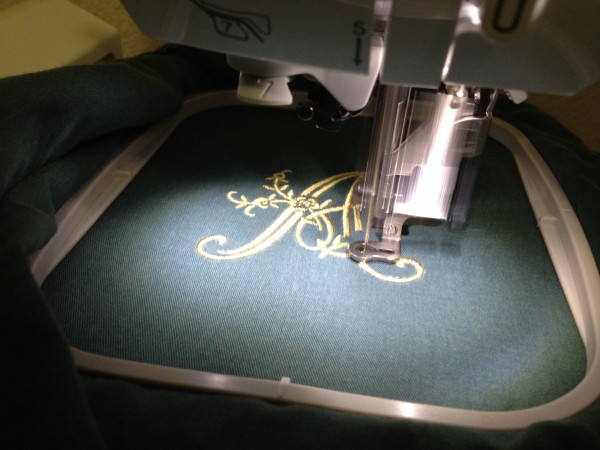
You’ve finally perfected your design, or you’ve just purchased the perfect embroidery file online. You go to load it onto your machine and… nothing. The file is unrecognized, a frustrating error message flashes, and your project grinds to a halt. This common headache almost always boils down to one thing: embroidery file formats.
Think of these formats as different languages. Your embroidery machine only speaks one or two of them fluently. Sending it a file in a language it doesn’t understand leads to a communication breakdown. As we move into 2025, with more machines, software, and online marketplaces than ever, understanding this digital ecosystem is not just technical—it’s essential for a smooth, creative workflow. This guide will cut through the jargon and explain the key formats you need to know, why they matter, and how to ensure your designs always stitch out perfectly.
The Core Concept: What Is an Embroidery File Format?
At its simplest, an embroidery file format is the digital container that holds the instructions for your embroidery machine. When a digitizer creates a design, they use specialized software. That software then saves or “exports” the design into a specific file format—like .DST or .PES. This file doesn’t just contain a picture; it holds a detailed stitch-by-stitch map: where the needle goes, what color thread to use, the stitch type, the order of operations, and more.
The critical thing to remember is that there is no single universal format. Different brands, and sometimes different models within a brand, prefer specific native formats. Using the correct one is the key to compatibility.
The 2025 Power Players: Essential Machine Formats
These are the workhorses—the formats you’ll most often send directly to your embroidery machine. Knowing your machine’s native format is your first step.
1. .DST (Data Stitch Tajima)
-
The Industry Standard. Since its creation for Tajima machines, .DST has become the undisputed lingua franca of commercial embroidery. Nearly every industrial machine on the planet and most multi-needle/home machines can read it. If you’re sending a design to a professional embroidery service, they will almost always ask for a .DST file. It’s a reliable, widely supported format, though it typically contains only basic stitch and color data (less editable information).
2. .PES (Brother/Baby Lock)
-
The Home Embroiderer’s Champion. As the native format for Brother and Baby Lock machines—two of the most popular home and small business brands—.PES is ubiquitous. It’s a feature-rich format that can contain extra data like fabric settings and lettering information, making it a favorite for those who want more control. Its widespread use makes it a default offering on most design websites.
3. .EXP (Melco) / .JEF (Janome)
-
Brand-Specific Leaders. .EXP is the native format for Melco and Bernina machines, commonly found in high-end home and small commercial shops. .JEF is the primary format for Janome embroidery machines. Both are powerful and fully featured within their respective ecosystems but have less cross-brand compatibility than .DST or .PES.
4. .VP3 (Husqvarna Viking / Pfaff)
-
The Modern Contender. This is the native format for Husqvarna Viking and Pfaff machines under the SVP group. It’s a capable, modern format that supports features like stitch editing on the machine itself. If you own one of these machines, .VP3 is your go-to for unlocking full functionality.
The Creator’s Toolkit: Source & Software Formats
Before a design becomes a machine-ready .DST or .PES, it lives in a different state. These formats are for the digitizers and editors.
.EMB / .CSD / .OFM / .WAF
-
The “Source” or “Native” Files. These are the proprietary formats of specific digitizing software (like Wilcom (.EMB), Compucon (.CSD), or Pulse (.OFM)). Think of them as the “Photoshop (.PSD) file” of embroidery—they contain all the editable layers, objects, and settings. You can only open them in the software that created them. If you ever plan to edit a design, requesting the source file from your digitizer is crucial.
.DST (Again) & .PES (Again)
-
The Bridge Formats. Interestingly, many digitizers also use .DST or .PES as their working formats, especially within software like Hatch or Embrilliance. While not as editable as a true native .EMB file, they often retain more object-based information than when sent to a machine, allowing for some level of editing in compatible software.
The 2025 Landscape: Trends and Compatibility Solutions
The world of embroidery file formats isn’t static. Here’s what’s shaping it as we look to 2025:
-
Cloud Integration & Direct Transfer: Machines are increasingly connected. Brands are developing apps and cloud platforms that allow you to send designs wirelessly, often handling format conversion in the background. The focus is shifting from “What’s my USB format?” to seamless digital workflows.
-
The Rise of Multi-Format Packs: Savvy digitizers and online marketplaces now almost always sell designs in multi-format packs. You purchase once and instantly download the design in 10-15 different machine formats (.DST, .PES, .EXP, .JEF, .VP3, etc.). This is the single easiest solution for home embroiderers and is becoming the consumer expectation.
-
Conversion Software: A Necessary Tool. Even with multi-packs, you’ll eventually need to convert a file. Standalone conversion software (like Embrilliance StitchArtist or online converters) is a vital part of a modern embroiderer’s toolkit. A critical warning: Conversion is not perfect. Complex designs may lose editing features or, in rare cases, have stitch errors. Always do a test stitch on scrap fabric after converting.
Your Action Plan: Navigating Formats with Confidence
Don’t let file formats intimidate you. Follow this simple plan:
-
Identify Your Machine’s Native Soulmate. Check your manual or machine’s screen when saving a design. Is it asking for .PES, .VP3, or .JEF? This is your #1 format.
-
Always Seek Multi-Format Purchases. When buying designs online, filter shops to show only those offering “all formats” or a bundle that includes yours. It’s worth a small price premium for the convenience and reliability.
-
Build a Conversion Safety Net. Invest in a reliable, well-reviewed conversion program. Consider it insurance for your design library.
-
Communicate Clearly with Professionals. If you’re hiring a digitizer or sending a job to an embroidery shop, lead with the question: “What format do you need?” Providing the correct file upfront (usually .DST for professionals) saves time and ensures quality.
-
Test Before You Commit. Whether it’s a converted file or a new download from an unfamiliar site, running a quick stitch-out on a similar fabric scrap is the best practice to catch any glitches before they ruin your project.
Conclusion: Speak Your Machine’s Language
In 2025, mastering embroidery file formats is less about memorizing technical specs and more about understanding the flow of digital creativity. It’s the practical knowledge that removes barriers between your idea and its stitched reality. By knowing your machine’s preferred language, leveraging the convenience of multi-format packs, and having a solid conversion strategy, you turn a potential source of frustration into a simple step in your process.
Let this knowledge empower you. Explore new design marketplaces with confidence, collaborate seamlessly with digitizers, and spend less time troubleshooting and more time stitching. The right format is the final, crucial key that unlocks your machine’s potential, letting you focus on what truly matters—bringing your creative visions to life, one perfect stitch at a time.