Every department handles documents differently, but they all depend on the same thing. Speed. A delay in printing, scanning, or sharing quickly turns into a delay in approvals, payments, onboarding, or client communication. When document flow breaks, work slows down everywhere.
This is why businesses are paying closer attention to the role of a multifunction laser printer. It is no longer just a device that prints pages. It has become a central hub for moving information between teams.
The hidden bottleneck most offices overlook
Many offices still treat printing and scanning as separate tasks. Someone prints in one area, scans in another, then manually sends files to the next department. It works, but it adds unnecessary steps to every process.
A smart color printer changes this by bringing multiple tasks into one place. Printing, copying, scanning, and sharing happen from a single device. Instead of documents travelling physically across the office, they move digitally in seconds.
When this shift happens, teams stop waiting for paperwork and start acting faster.
Scanning speed directly affects workflow speed
Departments like HR, finance, and admin deal with large volumes of paperwork every day. Contracts, invoices, forms, and signed approvals still need to be digitised before they can be shared or archived.
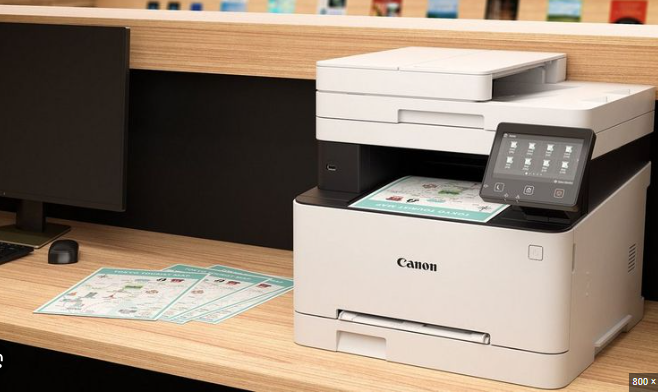
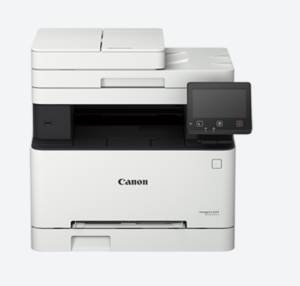
The Canon imageCLASS MF645Cx improves this step with a single-pass duplex auto document feeder. It scans both sides of a page at the same time using dual sensors. This may sound like a small technical detail, but it removes one of the biggest slowdowns in office workflows.
Stacks of documents can be scanned without flipping pages manually. That saves time and reduces the chances of missed pages.
A shared device that people actually enjoy using
Usability often gets ignored when businesses choose office printers. But when multiple departments rely on the same machine, the experience matters.
A colour touchscreen interface makes everyday tasks feel straightforward. Employees can scan, copy, or send documents without digging through complicated menus. The adjustable panel also makes it easier for different users to operate the device comfortably throughout the day.
When the device feels simple, employees use advanced features more often. That alone improves how documents move across teams.
Mobile and wireless printing keeps teams flexible
Work no longer happens at a fixed desk. Employees switch between meeting rooms, shared workspaces, and hybrid setups. Printing needs to match this flexibility.
Wireless connectivity allows teams to print from laptops or mobile devices without cables. Built-in access point capability makes it easy to connect even without a router. Mobile apps extend this convenience further by letting employees print or scan directly from their phones.
This flexibility ensures that document flow continues even when people are moving around the office.
Built to fit different business tools
Each department uses different software. Finance teams rely on accounting systems. Designers use creative tools. Admin teams use document management platforms. Compatibility is essential.
Support for PCL and Adobe PostScript helps the printer work smoothly across varied business applications. Documents print correctly without constant adjustments or troubleshooting.
Why smart print systems matter more than ever
When one device handles printing, scanning, sharing, and storage, departments stay connected. Documents move faster, approvals happen sooner, and teams spend less time managing paperwork.
A modern multifunction printer quietly becomes part of the workflow. And when it works well, no one notices. Work simply keeps moving forward.