Businesses that use Sage 50 accounting software often need to give employees access to financial records from different locations. Two options can support this requirement: hosting Sage 50 on a remote server and using Sage’s Remote Data Access feature. Although both options support remote work, they operate differently and suit different business needs.
Sage 50 cloud hosting runs the accounting software in a hosted environment that users access remotely. Remote Data Access, on the other hand, allows users to share and work with company data through Sage’s supported synchronisation features. The right option depends on the number of users, working arrangements, software requirements, and the level of control a business needs over its IT environment.
Apps4Rent provides hosted IT services that businesses can consider when assessing their accounting infrastructure. Before choosing a solution, companies should compare how each option handles access, data synchronization, administration, security, and costs.
1. What Is Sage 50 Cloud Hosting?
Sage 50 cloud hosting allows businesses to run their desktop accounting software on a remote server or hosted desktop environment. Instead of relying entirely on a computer in the office, employees connect to the hosted system over a network and use Sage 50 in that remote environment.
The hosting provider or IT administrator manages the underlying infrastructure according to the service agreement. Depending on the arrangement, the service may include server maintenance, backups, security controls, and technical support.
This approach can suit businesses that want to keep their existing Sage 50 desktop workflow while giving employees access from different locations.
Key Features of Sage 50 Cloud Hosting
- Remote desktop access: Authorized employees can access Sage 50 from supported devices and locations.
- Centralized application management: Administrators can manage the hosted software environment from a central location.
- Multi-user workflows: Several authorized users can work within the same hosted environment, subject to Sage licensing, product limitations, and configuration.
- Centralized data storage: Company files can remain within the hosted environment instead of being spread across individual employee computers.
- Managed infrastructure options: Some hosting plans include backups, monitoring, updates, and technical support.
Businesses should confirm which services the provider includes. Hosting does not automatically cover every application update, backup requirement, security task, or licensing expense.
2. What Is Sage Remote Data Access?
Sage Remote Data Access is a feature designed to let authorized users access shared Sage 50 company data from different locations. Depending on the Sage 50 edition and version, the feature uses supported cloud-based synchronization to share company data between participating installations.
Unlike a hosted desktop, Remote Data Access does not simply move the entire Sage 50 application to a remote server. Users generally run the locally installed desktop software and use the supported feature to access synchronized company data.
This arrangement can suit small businesses whose employees need to work with accounting records from separate computers without maintaining a dedicated hosted desktop environment.
Key Features of Remote Data Access
- Shared company data: Authorized users can access supported company information across participating installations.
- Local software installation: Users generally run Sage 50 on their own computers.
- Remote collaboration: Employees can work from different locations, subject to the product’s supported workflow and limitations.
- Reduced server administration: Businesses may not need to manage a separate hosted desktop server solely for remote data access.
- Sage-specific functionality: Access depends on the supported Sage 50 edition, version, configuration, and licensing.
Remote Data Access is not identical to hosting. Businesses should check Sage’s current documentation for supported versions, synchronization requirements, user limitations, and regional availability before adopting the feature.
3. Sage 50 Cloud Hosting vs. Remote Data Access
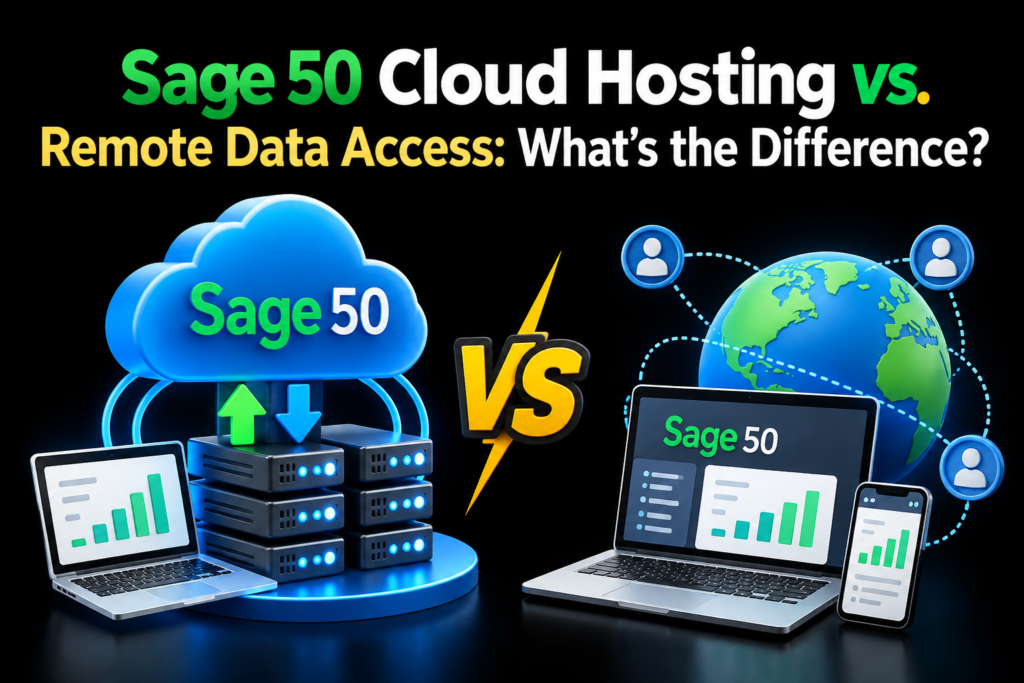
The main difference concerns where the application runs and how users access company data. Cloud hosting places the application in a remote computing environment, while Remote Data Access supports shared company data between local Sage 50 installations.
| Feature | Sage 50 Cloud Hosting | Sage Remote Data Access |
|---|---|---|
| Application location | Runs in a hosted server or desktop environment | Generally runs on each user’s local computer |
| Data access | Users access company data within the hosted environment | Users access supported synchronized company data |
| Local installation | Depends on the access method and setup | Generally required on participating computers |
| IT administration | May require coordination with the hosting provider | Focuses on local installations and supported synchronization |
| Remote working | Users connect to the hosted desktop or application | Users work through supported Sage data-sharing features |
| Infrastructure | Uses hosted computing resources | Uses local computers and Sage’s supported synchronization service |
| Costs | Hosting fees, licensing, and related service charges may apply | Sage licensing and any applicable service charges may apply |
| Best suited for | Businesses that prefer a centralized application environment | Businesses that need remote access to shared accounting data |
Neither option suits every organization. A business should evaluate its existing Sage 50 setup, user requirements, application dependencies, and preferred administration model before making a decision.
4. Which Option Offers Better Remote Access?
Both options can support employees who work outside the office, but the experience differs.
With cloud hosting, employees connect to a remote desktop or hosted application. Sage 50 runs in that environment, so users generally work with the same hosted application installation. This setup can help teams that want to centralize access and administration.
With Remote Data Access, employees generally open Sage 50 on their own computers and use the supported data-sharing feature to work with company records. This option can suit businesses that prefer local installations and do not need a hosted desktop for their accounting workflow.
Network performance matters in both cases. Hosted desktops depend on a reliable connection to the remote environment, while Remote Data Access depends on supported synchronization and connectivity for its workflow.
Businesses should test their typical working conditions before selecting either option, particularly when employees travel or use slower internet connections.
5. How Do Security and Data Protection Compare?
Security depends on the configuration, access policies, software maintenance, and data protection practices a business follows.
Cloud hosting can centralize company files and allow administrators to apply access restrictions within a managed environment. A provider may offer encryption, backups, monitoring, and controlled remote access, depending on the service agreement. Businesses should verify these controls instead of assuming that every hosting plan includes them.
Remote Data Access uses Sage’s supported data-sharing mechanisms. Users still need to protect their computers, account credentials, local installations, and any locally stored information. Businesses should review Sage’s current security guidance and the feature’s specific requirements.
Both approaches benefit from these measures:
- Use strong passwords and multi-factor authentication where supported.
- Restrict access to employees who need accounting data for their roles.
- Install security updates for operating systems and applications.
- Maintain reliable backups and test recovery procedures.
- Protect endpoints with suitable security software.
- Review access permissions when employees change roles or leave.
- Train staff to recognize phishing attempts and suspicious login requests.
Businesses that handle sensitive financial information should also review data location, retention, recovery procedures, and compliance obligations.
6. What Are the Cost Differences?
The total cost depends on licensing, the number of users, infrastructure requirements, support needs, and the service arrangement.
Cloud hosting usually adds recurring hosting charges to the applicable Sage 50 licensing and support costs. Businesses may also need to budget for storage, backups, additional users, remote access tools, or specialized configuration.
Remote Data Access may reduce the need for a separate hosted desktop service, but businesses still need compatible computers, Sage 50 installations, suitable licenses, and any applicable service subscription. IT staff may also need to maintain each local installation.
A fair comparison should include both direct and indirect expenses. For example, a business may pay more for hosting but reduce some local server administration. Another business may find Remote Data Access more economical because its employees already use supported Sage 50 installations.
Ask each provider or software vendor for current pricing and confirm which features and support services the quoted amount includes.
7. When Should You Choose Sage 50 Cloud Hosting?
Cloud hosting may suit businesses that want to run Sage 50 in a centralized remote environment. It can be useful for teams that need consistent application access across locations or want to reduce their dependence on an office-based server.
Consider hosting if your business:
- Needs a shared remote desktop environment for accounting work.
- Wants centralized management of the Sage 50 installation.
- Has employees who work across several offices or remotely.
- Needs to assess managed infrastructure, backup, and support options.
- Prefers to access accounting software without relying on a single office computer.
Apps4Rent is one provider businesses can contact when assessing hosted IT infrastructure. Before choosing a plan, ask about Sage 50 compatibility, supported access methods, licensing, backups, security controls, user capacity, and technical support.
A provider should confirm that the proposed environment meets your specific Sage 50 edition and application requirements.
8. When Should You Choose Remote Data Access?
Remote Data Access may suit businesses that want to share Sage 50 company data between supported local installations without moving the application into a hosted desktop environment.
Consider this option if your business:
- Already maintains compatible Sage 50 installations.
- Needs remote access to shared accounting data.
- Prefers employees to run the software on their own computers.
- Wants to avoid adding a separate hosted desktop service when it is not necessary.
- Can maintain local devices and follow Sage’s supported synchronization procedures.
Before proceeding, confirm the current product requirements and ensure that the number of users, data-sharing workflow, and Sage 50 version meet your needs.
9. How Can Apps4Rent Help With Your Decision?
Businesses comparing the two options should begin with their actual accounting workflow rather than selecting a service based on its name. Consider how employees access Sage 50, whether they need a shared remote desktop, and how the organization manages security, backups, and software maintenance.
Apps4Rent can help businesses assess hosted infrastructure options and determine whether a hosted desktop arrangement fits their requirements. Ask about supported Sage 50 configurations, user access, service responsibilities, backup arrangements, and recurring charges before making a commitment.
For companies that need a centrally managed application environment, sage 50 cloud hosting may offer a suitable path. Businesses that mainly need supported access to shared company data may prefer Remote Data Access.
Conclusion
Sage 50 Cloud Hosting and Remote Data Access both support remote accounting workflows, but they solve different problems. Cloud hosting runs the application in a remote environment, while Remote Data Access supports sharing company data between compatible local installations.
Businesses should compare application requirements, remote access needs, security controls, licensing, administration, and total costs before deciding. Apps4Rent can be considered when evaluating hosted desktop infrastructure, while Sage’s current documentation can help confirm Remote Data Access requirements.
Frequently Asked Questions
1. Is Sage 50 Cloud Hosting the same as Remote Data Access?
No. Cloud hosting runs Sage 50 in a remote server or desktop environment. Remote Data Access generally allows users to access shared company data through supported synchronization between local Sage 50 installations.
2. Can multiple employees use Sage 50 with both options?
Both options can support multi-user workflows, but the permitted number of users and simultaneous access depend on the Sage 50 edition, licensing, configuration, and service limitations. Confirm these details before deployment.
3. Which option is more secure?
Neither option is automatically more secure. Security depends on authentication, access permissions, endpoint protection, software updates, monitoring, and backup procedures. Review the actual controls available with each option.
4. Does Sage 50 Cloud Hosting require a new version of the software?
Not necessarily, but the hosted environment must support your Sage 50 edition, version, operating system, and licensing requirements. Confirm compatibility with the hosting provider before moving the application.