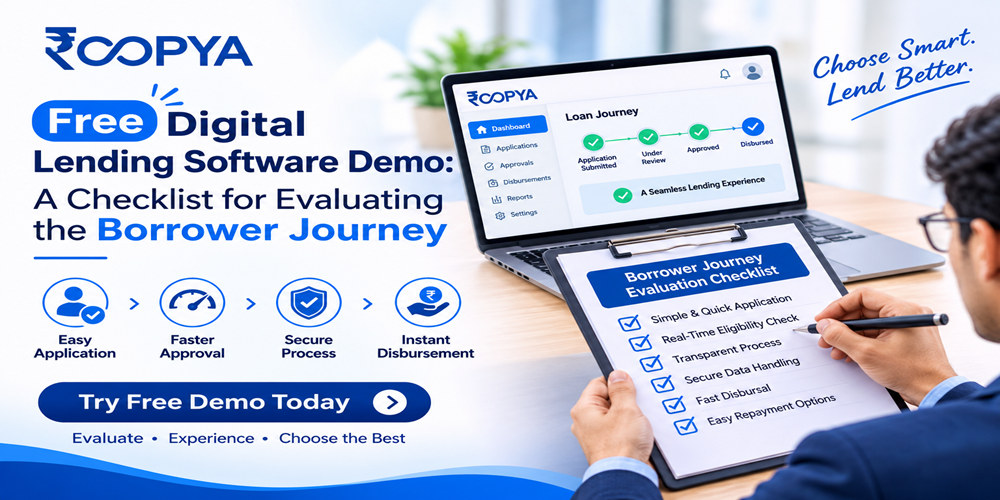
Book a free digital lending software demo and use this borrower journey checklist to test onboarding, KYC, decisioning, eSign and disbursal before you buy.
Most digital lending software demos look impressive for the first ten minutes. The screens are clean, the dashboards are colourful and the presenter clicks through a perfect loan application in under two minutes. Then you sign a contract, go live, and discover that real borrowers drop off at the KYC step, that offers arrive too late to matter, or that your operations team cannot change a rule without raising a ticket.
A free demo is the cheapest moment to find those problems. But only if you walk in with a plan. This guide gives you a practical, stage-by-stage checklist for evaluating the borrower journey in any digital lending platform, including ours. It is written for lending service providers (LSPs), fintech founders, NBFC product heads and channel partners who are shortlisting a lending-as-a-service (LaaS) platform and want evidence rather than slideware.
Use it to decide what to ask, what to watch for, and what a good answer sounds like. Print it, share it with your product, risk and compliance teams, and score every vendor against the same questions.
What a free digital lending software demo should actually show you
A useful demo is not a feature tour. It is a rehearsal of your business. The question you are really answering is: “If we launched on this platform next quarter, what would our borrower experience, our approval rate and our operating cost look like?”
That means you should see a live or sandbox walkthrough of the complete loan lifecycle: lead entry, application, identity checks, credit decisioning, offer selection, digital documentation, disbursal and servicing. A vendor who can only show you the front end, or who skips straight to the admin dashboard, is giving you half the picture.
Equally important is the operator view. The borrower journey is the visible part, but it is powered by a business rule engine, lender integrations, workflow management and analytics. If you cannot configure or inspect those components during the demo, you will not be able to improve the journey after launch.
Why the borrower journey decides your results
In digital lending, the journey is the product. Two platforms can connect to the same lenders and use the same data sources, yet produce very different disbursal numbers because one loses borrowers to friction and the other does not. Every additional screen, unexplained document request or slow verification gives an applicant a reason to leave.
The journey also shapes trust. Borrowers who see their total cost, understand who the lender is and receive clear status updates are far more likely to complete the process and to repay on time. For an LSP, that translates into better partner relationships and fewer complaints.
Finally, the journey determines your operating cost. A well-designed flow automates routine checks, routes applications to the right lender and reduces manual follow-ups. When you evaluate a demo, you are therefore judging three things at once: conversion, compliance and cost to serve.
How to use this checklist
The checklist below has ten stages, following the path a borrower takes from first click to final repayment. For each stage you will find what to check, what to ask the presenter, and what a red flag looks like. Score each stage from 0 to 3 (0 = not shown, 1 = shown but fixed, 2 = configurable, 3 = configurable with analytics). A total above 24 out of 30 suggests a mature platform. Anything below 15 means you are looking at a prototype.
Ask the presenter to use your scenario rather than theirs. Give them a borrower persona in advance, for example a salaried applicant with a thin credit file applying from a mobile phone on a weak network. That single change reveals more than any brochure.
The 10-stage borrower journey checklist
1. Lead capture and entry points
- Can leads come in from your website, mobile app, partner links, API and bulk upload, and are they all tracked back to a source?
- Does the platform deduplicate leads and carry context (campaign, partner, product) into the application?
- Can a borrower resume an abandoned application from where they stopped?
Ask in the demo: Show me the same lead arriving from two channels and tell me how you tag and attribute it.
Red flag: Leads are entered manually, or source attribution is lost after the first screen.
2. Application form and data collection
- Is the form short, mobile-first and split into logical steps with visible progress?
- Does it ask only for data that the credit decision actually needs?
- Can you change fields, labels, languages and validation rules without a developer?
Ask in the demo: Add a new field and a conditional question to this form while I watch. How long does it take to publish?
Red flag: Every change needs a vendor release cycle, or the form cannot adapt by product or partner.
3. eKYC and identity verification
- Which verification methods are supported (Aadhaar-based, PAN, video KYC, bank account validation, selfie match)?
- What happens when a check fails or times out? Is there a retry path or a manual fallback?
- Is consent captured clearly before any personal data is fetched?
Ask in the demo: Walk me through a failed KYC attempt and show what the borrower sees next.
Red flag: The demo only shows the happy path. Failure handling is where borrowers are lost.
4. Credit assessment and the business rule engine
- Can your risk team define, test and version rules for eligibility, underwriting and policy checks?
- Is the decision explainable, with a record of which rule approved or rejected a case?
- Can the engine combine bureau data, bank statement signals and other data points?
Ask in the demo: Change a cut-off rule in a sandbox and re-run five sample applications to show the impact.
Red flag: Rules are hard-coded, or the vendor calls the engine a “black box”.
5. Lender matching and offer presentation
- If the platform connects to several lenders, how are applications routed, and on what criteria?
- Does it show the borrower a clear offer with amount, tenure, rate, fees and total repayment?
- Can it fall back to another lender if the first one declines?
Ask in the demo: Show me one application being routed across multiple lenders and the logic behind the order.
Red flag: Routing is random, undocumented, or limited to a single lender with no fallback.
6. Disclosures, consent and compliance
- Are the Key Fact Statement, all-in cost, fees and tenure displayed before the borrower commits?
- Are consents time-stamped, stored and retrievable for audit?
- Is the lender’s name, and the platform’s role as an LSP, clear to the borrower?
- Is there a visible grievance redressal contact and a cooling-off or look-up period where applicable?
Ask in the demo: Show me the audit trail for one completed application, including every consent given.
Red flag: Disclosures are buried in a terms link, or audit logs cannot be exported.
7. eSign and documentation
- Are agreements generated automatically with the right borrower and lender data?
- Does eSign work smoothly on a mobile phone, and is the signed copy shared with the borrower?
- Are documents stored securely, searchable and linked to the loan record?
Ask in the demo: Generate and sign an agreement on a phone. How many taps does it take?
Red flag: The borrower must download, print or upload documents manually.
8. Disbursal
- Does the platform trigger disbursal automatically after final approval and signature?
- Are funds sent directly to the borrower’s verified bank account, as current digital lending norms expect?
- Is there real-time status for the borrower and the operations team, including failed or returned payments?
Ask in the demo: Show me what happens when a disbursal fails, and how it is reconciled.
Red flag: Disbursal is a separate manual process with no status tracking.
9. Servicing and repayment
- Does the platform handle repayment schedules, reminders, collections, part-payments and closure?
- Can a borrower view their schedule, download statements and request a closure letter?
- Does it support lender-side servicing as well as LSP-side tracking?
Ask in the demo: Show me a loan three months after disbursal: schedule, reminders and a missed payment.
Red flag: The demo ends at disbursal, as if the relationship finishes there.
10. Communication, support and grievance handling
- Which channels are used for updates (SMS, WhatsApp, email, in-app) and can the templates be customised?
- Is there an in-journey help option, and are support queries linked to the loan record?
- Is there a defined escalation path for complaints?
Ask in the demo: Show me how a support agent sees a borrower’s full journey in one screen.
Red flag: Support works from separate tools with no shared view of the borrower.
The operator view: what powers a good borrower journey
A smooth journey is rarely an accident. It is the result of tools that let your team see what is happening and fix it quickly. During the demo, spend at least a third of your time on the back office.
Start with the journey builder. Can your product team design and publish a new journey for a new product or partner without engineering support? Then look at analytics. You should be able to see conversion at every step, drop-off by device and channel, approval rate by lender, and time to disbursal. If the vendor cannot show a funnel report from sample data, assume you will be running blind after launch.
Next, check integrations. Ask how many lenders are already connected through APIs, how new lenders are onboarded, and how long that usually takes. Ask how leads are pushed, how statuses are pulled back, and what happens if a lender’s API is slow or down. Finally, ask about security: encryption, access control, role-based permissions, audit logs and data residency. A platform that handles personal and financial data must be able to explain these clearly and without hesitation.
How to prepare for your demo
You will get far more from a free demo if you prepare for it. A little homework lets you compare vendors on equal terms.
- Define two or three target borrower personas, including at least one difficult case such as a first-time borrower with limited credit history.
- Write down your top five business goals, for example higher approval rate, lower cost per disbursal, faster onboarding or more lender partners.
- List the systems you already use, such as CRM, bureau connections, payment gateways and accounting tools, so you can ask about integration.
- Invite people from product, risk, compliance, operations and technology. Each will spot different gaps.
- Prepare a shared scorecard so every attendee rates the same stages and you can compare notes straight after the session.
Red flags that should slow you down
Some warning signs appear in almost every poor demo. Watch for these:
- The presenter will not use your scenario, or only uses a pre-recorded video.
- Everything shown is a mock-up, and the vendor cannot clarify what is live in production.
- There is no clear answer on regulatory alignment or who is responsible for which compliance step.
- Pricing is vague, or key capabilities are described as “custom work” for an additional fee.
- References, case studies or live integrations cannot be shared on request.
None of these automatically disqualifies a vendor, but each should lead to a written follow-up question before you proceed.
What to expect from a Roopya demo
Roopya is a lending infrastructure and analytics-as-a-service platform designed to help LSPs and channel partners launch and run digital lending without building everything in-house. The demo is structured around the same stages as this checklist, so you can test us the way you would test anyone else.
You can expect to see the customer journey builder, which lets you design and customise borrower flows; our lender connectivity, with APIs to more than 25 lenders and lead routing based on credit decisioning criteria; our business rule engine for origination, underwriting and servicing rules; and our analytics layer, which brings customer data, lender management and loan disbursal into one view. We also walk through the lending pipeline from application to underwriting, credit decision, digital documentation, funding and servicing.
Bring your own use case. We would rather show you a real fit, or an honest gap, than a polished script.
Turn the checklist into a decision
Choosing digital lending software is one of the most consequential product decisions a lending business makes. The borrower journey is where strategy meets reality: every extra step, unclear fee or failed verification costs you applications and trust.
Use the ten stages above, score each vendor consistently, and give extra weight to the stages where your business is most exposed. Then compare the totals, review the red flags and ask for written answers to any open questions.
Ready to see how your borrower journey would work on Roopya? Book your free digital lending software demo today, share your scenario, and we will walk through it with you step by step.
Call to action button: Book Your Free Digital Lending Software Demo → /contact or demo form
Part 3: Frequently asked questions
Publish these questions and answers as visible text on the page. The FAQPage schema in Part 4 must match this text exactly.
What is digital lending software?
Digital lending software is a platform that automates the loan lifecycle end to end. It typically covers lead capture, application, eKYC, credit decisioning, lender matching, digital agreements, disbursal and repayment servicing, so that lenders and lending service providers can operate online with less manual work.
What should I look for in a free digital lending software demo?
Look for a live or sandbox walkthrough of the full borrower journey using your own scenario. Check failure handling, configurability of forms and rules, lender integrations, disclosures, audit trails and analytics, not just the user interface.
How long does a digital lending software demo take?
Most demos run between 45 and 60 minutes. Allow extra time if several teams attend or if you want to test multiple borrower personas. Sharing your requirements beforehand helps the presenter focus on what matters to you.
Who should attend the demo from my team?
Include someone from product, risk or credit, compliance, operations and technology. Each function evaluates a different part of the journey, and together they can score the platform far more reliably than one person can.
What is a business rule engine (BRE) in lending?
A business rule engine lets a lender or LSP define, manage and execute rules for eligibility, underwriting, pricing and servicing without changing code. A good BRE shows which rule produced each decision, which supports transparency and audit.
How does a lending-as-a-service (LaaS) platform work with multiple lenders?
A LaaS platform connects to several lenders through APIs. It routes each application to the lender whose criteria best match the borrower, can retry with another lender if one declines, and gives the operator a single view of leads, decisions and disbursals.
How can I check that a digital lending platform supports compliance?
Ask how the platform presents key fact statements and all-in costs, records consent, shows lender and LSP identity, handles grievances and stores audit logs. Regulations change, so confirm the latest RBI digital lending directions with your compliance advisers.
Is the Roopya demo really free?
Yes. You can book a free demo, share your use case, and see how the borrower journey, lender connectivity, business rule engine and analytics work on the Roopya platform. There is no obligation to proceed.