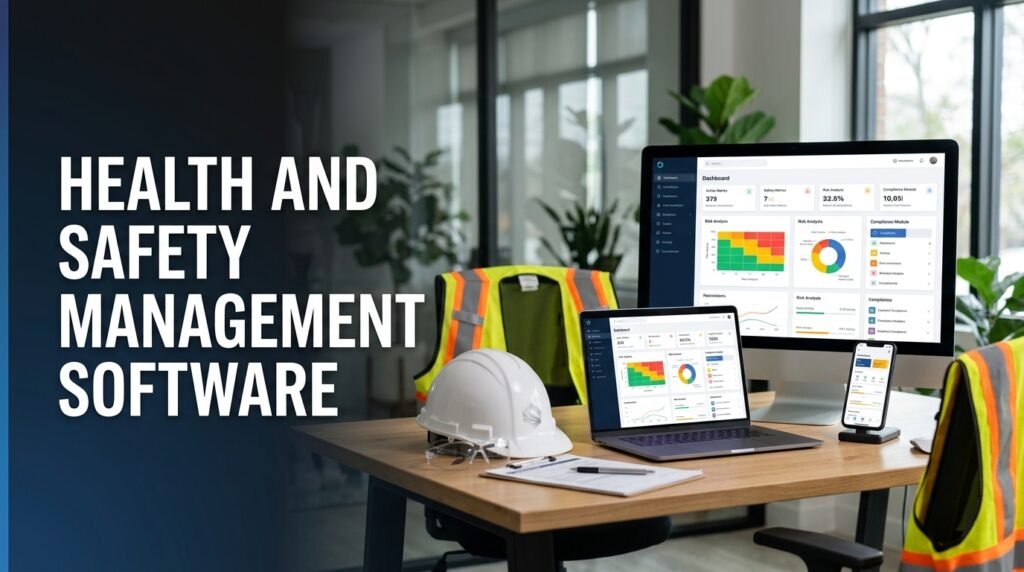
Managing workplace safety requires regular inspections, accurate records, employee training, and a clear process for handling hazards. Health And Safety Management Software helps businesses bring these activities together in one digital platform. Instead of relying on paper forms, spreadsheets, and scattered documents, safety teams can use a central system to record incidents, assess risks, monitor corrective actions, and maintain important safety information.
For many organizations, Workplace Safety Management involves several departments and locations. A manufacturing company may need to monitor machinery and chemical hazards, while a construction business must manage site inspections, contractor activities, and work at height. When safety information is difficult to access, teams may miss important details or take longer to respond to problems.
This is why businesses are investing in Safety Software Features that support everyday safety operations. However, choosing software should not be about selecting the platform with the longest feature list. The right solution should make safety responsibilities easier to manage and help employees report problems without unnecessary steps.
Let’s look at the features that make Health and Safety Management Software useful for businesses across different industries.
1. Centralized Safety Record Management
One of the most important features is a central place to store and manage workplace safety information. Many businesses still maintain inspection reports, training records, incident forms, and risk assessments in separate files. This makes it difficult to find updated information, particularly when several departments or work locations are involved.
A digital safety platform can bring these records together, allowing authorized employees to access the information they need.
A centralized system should support:
- Safety policies and procedures.
- Workplace inspection records.
- Incident and near miss reports.
- Employee training documents.
- Risk assessment records.
- Audit findings.
- Corrective and preventive action records.
For example, a company operating several warehouses can use one system to review inspection reports from different locations. Managers can check which safety issues remain unresolved and identify the employees responsible for follow up.
Document management should also include version control. When a safety procedure changes, employees need access to the latest approved version rather than an outdated copy saved on a shared computer.
2. Incident and Near Miss Reporting
Accidents and near misses provide important information about workplace risks. If employees cannot report these events easily, businesses may lose details that could help prevent similar incidents.
Health and Safety Management Software should provide a straightforward process for reporting injuries, property damage, unsafe conditions, and near misses.
Useful Incident Reporting features include:
- Digital reporting forms.
- Photograph and document attachments.
- Date, time, and location details.
- Witness information.
- Incident categorization.
- Investigation workflows.
- Root cause analysis.
- Corrective action assignments.
Imagine a warehouse employee notices a damaged ladder during a routine task. They should be able to report the problem through a mobile device, attach a photograph, and submit the information to the responsible supervisor.
The safety team can then investigate the issue, arrange repairs, and record the action taken. The system should also allow employees to report near misses, even when nobody has been injured.
A good reporting process makes it easier to collect useful information. It does not replace a proper investigation, but it gives safety professionals a reliable starting point.
3. Risk Assessment and Hazard Management
Businesses need to identify workplace hazards before they result in injuries or damage. Risk Assessment Software helps safety teams record hazards, evaluate their potential consequences, and decide which control measures are necessary.
An effective platform should allow users to:
- Create and update risk assessments.
- Identify hazards by task, department, or location.
- Record who may be exposed.
- Evaluate likelihood and severity.
- Assign risk levels.
- Document existing control measures.
- Assign additional actions and review dates.
For example, a manufacturing facility may identify risks associated with moving machinery, electrical equipment, chemical handling, and manual lifting. The safety team can assess each hazard and record the controls required to reduce exposure.
The software should also support reviews when working conditions change. A risk assessment completed before new equipment is installed may no longer reflect the actual workplace conditions.
The Occupational Safety and Health Administration’s guidance on hazard identification explains the importance of identifying hazards through workplace inspections, incident reviews, and employee input.
4. Digital Safety Inspections and Audits
Regular inspections help organizations identify unsafe conditions and check whether safety procedures are being followed. However, paper based inspections can create extra administrative work. Reports may need to be typed again, photographs may be stored separately, and follow up actions can become difficult to track.
Digital Safety Management allows employees and inspectors to complete checklists through computers, tablets, or mobile devices.
Useful inspection and audit features include:
- Customizable inspection checklists.
- Scheduled and recurring inspections.
- Digital forms for different departments.
- Photograph attachments.
- Inspection findings and observations.
- Audit history.
- Automatic corrective action creation.
- Completion status tracking.
For example, a construction supervisor can use a mobile checklist to inspect scaffolding, access routes, protective equipment, and site conditions. If the inspection identifies a problem, the supervisor can record it immediately and assign an action to the responsible person.
Businesses should look for software that allows them to create different checklists for different activities. A single generic inspection form may not cover the requirements of every department.
5. Corrective and Preventive Action Tracking
Identifying a hazard is only one part of workplace safety. Businesses also need to make sure that reported problems are addressed and that suitable measures are taken to prevent them from happening again.
This is where corrective and preventive action management becomes important.
An effective system should allow safety managers to:
- Assign actions to specific employees.
- Set completion deadlines.
- Add supporting information.
- Monitor progress.
- Send reminders for overdue tasks.
- Escalate unresolved issues.
- Verify whether the action was effective.
For instance, if an inspection identifies a faulty machine guard, the maintenance team can receive an assigned task to repair or replace it. The supervisor can review the work and confirm that the issue has been resolved.
The software should maintain a record of the original finding, assigned responsibility, completed work, and verification. This creates a clear history that management can review during future inspections and audits.
6. Employee Training and Competency Management
Employees need suitable training before performing tasks that involve workplace risks. Businesses must also keep track of refresher training, certifications, and role specific safety requirements.
Health And Safety Management Software can help maintain employee training records and show managers which requirements have been completed.
Training management features may include:
- Employee training profiles.
- Course schedules.
- Attendance records.
- Certification documents.
- Expiry date tracking.
- Refresher training reminders.
- Training completion reports.
Consider a company where employees operate forklifts. Management needs to confirm that the relevant workers have received the required training and that their competency records are maintained.
A digital system can make these records easier to review. It may also help managers identify departments where additional training is needed.
However, software should support practical instruction rather than replace it. Employees still need appropriate supervision, demonstrations, and task specific guidance.
7. Compliance Management and Document Control
Organizations must follow the workplace health and safety laws, regulations, and industry standards that apply to their operations. These requirements may involve equipment inspections, employee training, incident records, emergency procedures, and other safety responsibilities.
Safety Compliance features help businesses organize the information and activities needed to manage these obligations.
A suitable platform may provide:
- Compliance registers.
- Regulatory document storage.
- Scheduled compliance reviews.
- Audit preparation tools.
- Inspection and training records.
- Document approval workflows.
- Corrective action monitoring.
ISO 45001 is an international standard for occupational health and safety management systems. Businesses can use its framework to establish processes for identifying hazards, managing risks, involving workers, and improving safety performance.
Software can help maintain records and support these processes, but it does not automatically make an organization compliant or ISO 45001 certified. Companies must check the requirements that apply to their operations and ensure their procedures are properly implemented.
You can read more about the standard through the official ISO 45001 overview.
8. Mobile Access and Offline Functionality
Safety activities often happen outside the office. Employees may work on construction sites, in warehouses, on production floors, or at remote facilities. Requiring them to return to a computer before submitting a report can delay important information.
Mobile access allows employees and supervisors to use selected software features through smartphones and tablets.
A useful mobile application should support:
- Incident and hazard reporting.
- Digital safety inspections.
- Photograph attachments.
- Access to safety procedures.
- Task notifications.
- Corrective action updates.
- Employee safety observations.
Offline functionality is particularly useful for remote locations where internet access is unreliable. Employees can complete certain tasks without a connection, with information synchronized when the device reconnects, provided the software supports this feature.
The application should also be easy to navigate. If reporting an incident takes too many steps, employees may avoid using it.
9. Dashboards, Reports, and Safety Analytics
Safety managers need accurate information to decide which workplace issues require attention. A reporting dashboard can help them review safety performance without manually collecting data from multiple departments.
Effective EHS Software should offer reports that are relevant to the organization’s operations.
Common safety indicators include:
- Number of reported incidents.
- Near miss reporting activity.
- Open corrective actions.
- Inspection completion rates.
- Employee training status.
- Repeated hazard categories.
- Incident trends by department or location.
For example, if a company notices repeated slip and trip incidents in one area, managers can investigate flooring conditions, housekeeping practices, and employee movement.
Businesses should review both lagging indicators, such as injuries that have already occurred, and leading indicators, such as inspections completed and hazards reported. Looking at both provides a more useful picture than relying on accident numbers alone.
Reports should also be easy to filter by site, department, activity, and time period. This is particularly important for organizations operating across multiple locations.
10. Automated Workflows and Notifications
Safety teams manage recurring activities every day. These may include inspection schedules, training reminders, incident approvals, and corrective action deadlines.
Automated workflows can reduce the amount of manual follow up required by assigning tasks and sending notifications according to predefined rules.
For example, when an inspection identifies a serious hazard, the system can notify the responsible supervisor and create a corrective action with a deadline. If the task remains incomplete, a reminder can be sent or the issue can be escalated according to company policy.
Automation can support:
- Inspection reminders.
- Training expiry notifications.
- Incident review approvals.
- Corrective action deadlines.
- Audit scheduling.
- Compliance task reminders.
- Management notifications.
Businesses should make sure automated workflows reflect their actual responsibilities. A notification is useful only when it reaches the right person and leads to an appropriate response.
11. Integration With Existing Business Systems
Some organizations already use separate systems for human resources, equipment maintenance, document management, and enterprise operations. Health and Safety Management Software should be able to connect with relevant systems where integration is needed.
For example, an integration with an HR system may help maintain employee information, while a connection with maintenance software may allow safety teams to follow equipment related issues.
Useful integration options may include:
- Human resource management systems.
- Maintenance management platforms.
- Enterprise resource planning software.
- Learning management systems.
- Identity and access management tools.
- Business reporting platforms.
Before selecting a solution, businesses should check which integrations are available and whether they require additional development. Data security and access permissions should also be reviewed.
Choosing the Right Health and Safety Management Software
Not every business needs all available features. A small organization may begin with incident reporting, inspections, and corrective action tracking. A large industrial company may require advanced risk assessments, contractor management, environmental modules, and multi site reporting.
Before making a decision, consider these points:
- Identify the safety processes that need improvement.
- Check whether the software supports your industry’s risks.
- Test how easily employees can report incidents and hazards.
- Review mobile access and offline capabilities.
- Confirm that reports provide useful information.
- Check data security, integrations, and user permissions.
- Plan employee training and software implementation.
The best system is not necessarily the one with the most features. It is the one employees can use consistently and safety managers can rely on to manage their responsibilities.
Final Thoughts
Effective Health and Safety Management Software should make it easier to identify hazards, report incidents, assess risks, manage inspections, and follow up on safety actions. Features such as mobile access, employee training records, compliance management, reporting dashboards, and automated workflows can help organizations maintain more consistent safety processes.
However, software alone cannot create a safe workplace. Businesses still need management involvement, trained employees, regular inspections, and clear safety procedures. When the right technology supports these everyday responsibilities, organizations can manage workplace risks more systematically and make better decisions about employee safety.