When you’re preparing your taxes every year as an owner of a small business or if you work with someone who does, you’ll inevitably run into a similar roadblock.
You have a ton of receipts, 1099s, and bank exports that need to be turned into some form of return — and you don’t want to spend hours typing in data manually.
Why Small Businesses Are Turning to AI for Tax Work
Small businesses make up the vast majority of US employers. Most have no in-house tax team. They lean on a bookkeeper, a CPA, an Enrolled Agent (EA), or software.
So all parties involved feel some amount of pressure — tax pros have to deal with messier client records than before, owners want faster answers for less money.
Common jobs AI now handles:
- Pulling figures from W-2s, 1099s, and K-1s
- Matching bank and card transactions to categories
- Spotting missing forms or totals that do not add up
- Drafting workpapers for a preparer to review
What the Best AI Tax Software Should Do
A long feature list can hide weak basics. These three areas matter most.
Document intake and data extraction
Good software reads uploaded PDFs and scans accurately and maps the numbers to the right fields. Ask how it handles blurry scans and unusual forms. Accuracy here decides how much cleanup your team does later.
Review flags and accuracy checks
Where we’re uncertain, don’t just guess at what you think makes sense. Use confidence indicators maybe even different colors, check variance from previous years, and provide a way to easily look up where that number came from.
Security and audit trail
Tax data is sensitive. Tax preparers have legal duties to protect client information, including under the FTC Safeguards Rule and IRS guidance such as Publication 4557. Ask vendors about encryption, user permissions, and activity logs.
How CPA Firms Use AI Tax Preparation for Small Business Clients
Firms serving small businesses often juggle hundreds of similar returns in a short window. That is where AI tax preparation for CPA firms earns its keep. Instead of keying in every figure, staff spend their time reviewing, asking clients smart questions, and advising.
Tax preparation automation for CPA firms usually shows up in four places:
- Client intake: document requests and uploads in one place
- Data entry: figures pulled from source documents automatically
- First-draft returns: prepared for a human reviewer
- Review queues: flagged items sorted by priority
The result is not a return nobody checks. It is a return that reaches the reviewer sooner, with the odd items already marked.
How to Compare Tools Side by Side
When you evaluate tax preparation software for CPA firms, or the best AI tax filing software for your own small business, a short checklist beats a long demo. Ask each vendor:
- Which forms and return types are supported today?
- How does the tool show uncertain or low-confidence data?
- Can a reviewer see the source document behind each number?
- How is client data stored, and who can access it?
- What does pricing look like per return, per user, or per client?
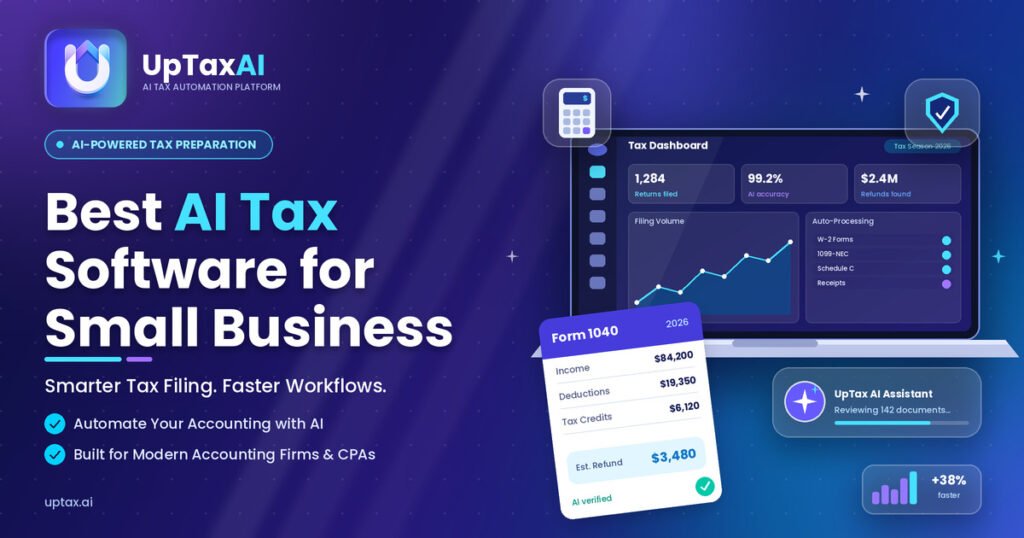
Purpose-built platforms are worth a look alongside broader accounting suites. For example, UpTax is an AI tax preparation platform aimed at US CPA and EA firms. Whichever tool you consider, run a small pilot on real, anonymized files before committing.
Mistakes to Avoid When Choosing
Skipping the pilot is the most common error. Buyers also pick on price alone, ignore support quality, or forget to ask how the vendor handles IRS tax law updates. A cheap tool that needs heavy rework costs more in staff time than it saves.
Final Thoughts
First, AI can’t file a perfectly accurate return on its own — nor should it try to. The most capable products show their work anyway. Instead, pick software that works well for your business needs, secures client data, and lets you run your practice as efficiently as possible.
Then remember who really matters when it comes to getting tax returns done right: You, with your training and experience. So hire a qualified human to be in charge of the final answer.
Also reads about: https://dailystorypro.com/what-is-up-tax-read-this-before-you-choose-a-tool/
Frequently Asked Questions
What is the best AI tax software for small business?
best AI tax software for small business It depends. Everything comes down to what you need in terms of what you are returning.
Can AI tax software replace a CPA?
Not necessarily. While AI can help with faster data entry and identifying potential problems, the tax return still needs to be completed by a professional.
Is AI tax software safe for client data?
This is possible; however, it varies based on the vendor. Get to know how the vendor deals with encryption, access controls, and security audits.
How does tax preparation automation help CPA firms?
It reduces redundant tasks such as retyping figures and following up on paperwork. This allows employees to engage in tasks that add more value, such as reviewing and advising.
How much does AI tax filing software cost?
Pricing models differ. Some charge per return, others per seat or on tiered plans. Ask for a written quote based on your expected volume, and check for onboarding or support fees.