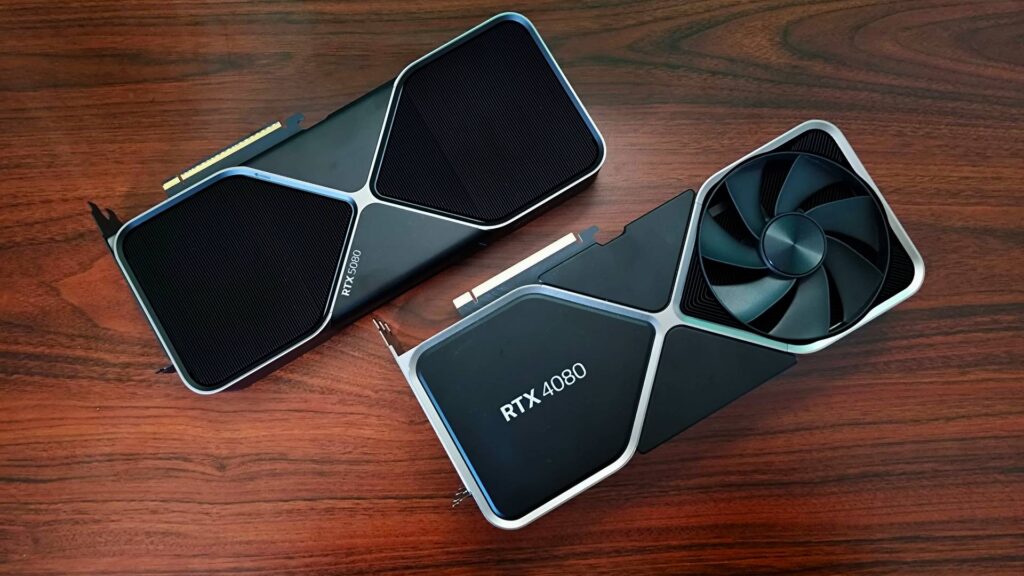
The GPU market is confusing on purpose. Manufacturers sell cards across consumer, workstation, and server tiers, and the naming conventions overlap just enough to make comparisons difficult. A gaming card and a server card can share the same silicon, the same memory type, and a suspiciously similar price tag. People buy the wrong thing regularly.
If you’re putting a GPU into a server — for inference, rendering, simulation, or scientific compute — the distinction matters. Getting it wrong costs you either money or reliability, sometimes both.
Why GPUs Ended Up in Servers
For decades, servers ran purely on CPU compute. Then researchers noticed that GPUs, designed to push pixels by running thousands of small operations in parallel, were also good at matrix math. And a lot of the hard problems in computing — training neural networks, running physics simulations, processing large datasets — are basically matrix math.
That realization changed data center architecture. GPU compute didn’t replace CPU compute; it sits alongside it for workloads that parallelize well. A modern inference server might have one or two CPUs handling orchestration and I/O while four to eight GPUs handle the actual model calculations. The GPU does the heavy lifting. The CPU keeps everything organized.
The workloads that benefit from this setup have expanded well beyond AI. Video transcoding at scale, 3D rendering farms, financial modeling, seismic processing, drug discovery pipelines. What they share is a need for floating-point throughput that CPUs can’t match at the same power envelope. CPUs are not bad at math. They’re just not built to do the same math operation on 10,000 data points simultaneously.
The Real Differences Between Consumer and Server GPUs
Consumer gaming cards optimize for a specific use case: rendering high-resolution frames quickly, with good image quality, at a price point consumers will actually pay. They’re good at that. They’re not designed for anything else.
Server-class Graphics Cards are built around different priorities. A few that matter in practice.
ECC memory — error-correcting code — catches and fixes single-bit memory errors. In a gaming scenario, a flipped bit might cause a brief visual artifact. Annoying, not catastrophic. In a model training run or financial calculation, a corrupted intermediate value can silently propagate through thousands of subsequent operations before anyone notices the output is wrong. ECC memory in professional GPU hardware is not a marketing feature. It’s how you trust the results.
Thermal and power design is the other big one. Consumer cards are designed to run at full load for gaming sessions — maybe a few hours at a time. Server GPUs run at sustained load for days, weeks, or longer without a maintenance window. The cooling systems, VRMs, and thermal interfaces are built for that duty cycle. Many consumer cards will throttle or fail early under sustained 24/7 server load, not because the GPU is defective, but because it was never engineered for it.
Driver stability matters more than people expect. Gaming drivers update frequently, optimized for new titles, sometimes at the cost of stability. Enterprise GPU drivers are validated for specific software environments and kept stable. When you’re running a production inference cluster, you don’t want a driver update breaking your environment because it was optimized for a first-person shooter released last Tuesday.
Then there’s double-precision performance. Consumer GPUs often have dramatically reduced FP64 throughput compared to their single-precision numbers — the specs are buried in a footnote if they’re listed at all. For scientific computing and financial modeling, FP64 matters. Server-class hardware doesn’t cut corners there.
The AI Inference Case
Right now the biggest driver of GPU adoption in enterprise servers is AI inference — running already-trained models to generate predictions, responses, or classifications in production. The compute requirements are real and ongoing.
Running a large language model in production, for example, requires keeping model weights in GPU memory and processing incoming requests with low latency. The GPU needs enough VRAM to hold the model, fast memory bandwidth to move weights around efficiently, and reliable operation under sustained load. Consumer cards with 8-16GB of VRAM hit walls quickly with larger models. Server hardware with 48-80GB of HBM memory handles them without compromise.
Batch inference — processing many requests simultaneously rather than one at a time — gets better utilization out of server GPUs because they’re designed to handle the full memory and compute load continuously. Consumer hardware often thermal-throttles before you get there.
Multi-GPU Configurations and NVLink
Single-GPU deployments cover a lot of ground. But workloads that outgrow one card need to scale across multiple GPUs, and that’s where interconnect technology becomes relevant.
NVLink, NVIDIA’s GPU-to-GPU interconnect, provides dramatically higher bandwidth between cards than PCIe. Two GPUs connected via NVLink can share memory and pass data between them with far less bottleneck than cards communicating over the PCIe bus. For model parallelism — splitting a model too large to fit on a single GPU across two or more cards — this matters a lot.
AMD’s server GPU lineup uses Infinity Fabric for similar purposes. The specific technology varies, but the point is the same: professional server GPUs are designed to work together in a way consumer cards aren’t.
What Workloads Still Don’t Need Server GPUs
Not everything needs enterprise-class hardware. Smaller inference deployments, internal rendering workstations, development and testing environments — these can often get by with workstation-class or even consumer hardware, with the understanding that you’re accepting reduced reliability margins and potentially unsupported configurations.
The line is roughly: if the GPU is in a production system where incorrect results or unexpected downtime have real consequences, you want hardware built for that. If it’s a dev box or a render node that gets rebooted weekly, the math changes.
Buying Decisions in Practice
One thing worth knowing: server GPU pricing includes more than the silicon. You’re paying for validated drivers, longer product lifecycles, vendor support contracts, and the testing that went into certifying the card for specific server platforms. That premium is real and it’s not entirely unjustified.
The mistake people make isn’t usually buying too much — it’s speccing hardware for current workloads without headroom for growth. GPU memory especially. Models keep getting larger. Batch sizes keep growing. A card that comfortably handles your current inference load might be a bottleneck in eighteen months. Buying the next tier up at initial deployment is almost always cheaper than a mid-cycle hardware refresh.
The other thing people underestimate is power infrastructure. A server with four high-end GPUs can draw 3-4 kilowatts. That’s a different conversation with your facilities team than a standard 1U compute node. Rack power, cooling, and UPS capacity all need to account for it.
Server GPUs are specialized hardware for specific problems. When those problems are yours, there’s no good substitute.