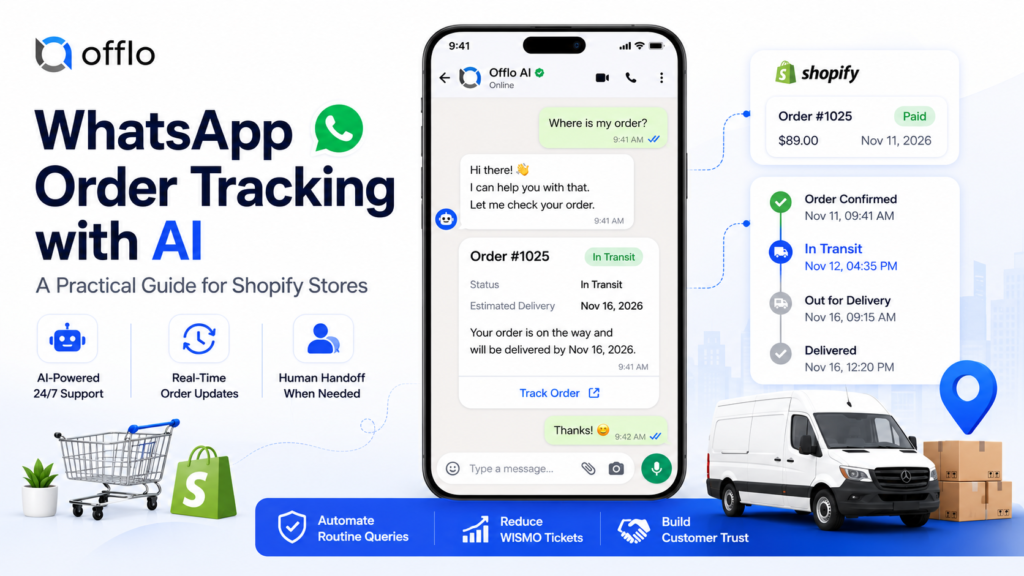
WhatsApp order tracking exists because of one question every online store hears, every single day: “Where is my order?” The customer has paid, the parcel is somewhere between your warehouse and their door, and the silence in between makes people uneasy. Each of those messages interrupts your team, and each one left waiting too long can turn into a refund request or a bad review.
Tracking over chat means sending customers live updates about their purchase and letting them ask follow-up questions in the same conversation. Done by hand, it does not scale. Done by an AI agent, it can run around the clock, speak in plain language and pass the tricky cases to a person.
Offlo.ai describes itself as an AI revenue OS for ecommerce, with AI agents that sell, support and re-engage customers across WhatsApp, Messenger, Instagram, web and email. Its WhatsApp agent covers areas such as order tracking, cart abandonment, product recommendation and discount coupon codes.
This guide explains why customers chase their orders, why chat suits tracking, how an AI order tracking agent works, what to send and when, how to set it up on Shopify, which numbers to watch and which mistakes to avoid. It is written for store owners and ecommerce teams who want a plan they can start using this week.
Why Customers Ask “Where Is My Order?”
Support teams have a name for these messages: WISMO, short for “where is my order”. They look like a single question, but the worry behind each one is different, and the best reply depends on the cause.
| Situation | What the customer is thinking | What a good chat reply does |
| Nothing arrives after checkout | “Did my payment even go through?” | Confirms the order and gives a rough dispatch time |
| Quiet between dispatch and delivery | “Has it been lost?” | Shares the latest scan and the expected date |
| A tracking page that is hard to read | “What does ‘in transit’ mean?” | Explains the status in everyday words |
| A visible delay | “It should have been here by now” | Acknowledges the delay, gives a new estimate and a contact point |
| Address worries | “Did I type the right address?” | Confirms the delivery address and explains what can still change |
| A time-limited purchase | “Will it arrive before the event?” | Gives a realistic date and escalates if it is tight |
| Marked delivered, nothing received | “Where is my parcel?” | Collects details and hands over to a person |
| Return in progress | “Did you get my parcel back?” | Shares the return status and the refund timing |
Notice that none of these shoppers is asking you to change the product or the price. They want information. Information is cheap to give when it is automated and expensive when an agent types it out ticket by ticket.
It also helps to separate a routine status question from a customer who has waited three weeks and is upset. The first can be automated. The second needs a person, quickly.
Why WhatsApp Order Tracking Works Better Than a Tracking Link
A tracking link in an email is better than nothing, but chat adds three things a link cannot.
It meets customers where they already are. People check their chat apps many times a day. An update that appears there is far more likely to be seen than one sitting in a busy inbox.
It answers back. A link shows a status. A chat can explain it, and the customer can reply with a follow-up such as “Can I change the address?” and get a response straight away.
It keeps the context. Every question and answer stays in one thread, so the customer does not have to repeat their order number each time, and your team can see the full history if they step in.
Consent and channel rules matter. Order updates are usually sent as utility message templates, and WhatsApp expects businesses to have permission before sending them. Templates must be approved before use, and once 24 hours have passed since the customer last wrote to you, you can only send approved templates. Meta also changed how some messages are billed from October 1, 2026, including certain utility messages sent inside the 24-hour window, so check current pricing before you plan your costs. Read the official WhatsApp Business documentation and the WhatsApp Business Platform pricing page, and follow the privacy laws that apply where you sell. Offlo.ai describes itself as an official Meta Tech Provider, which can help with the technical connection, but consent and content rules remain the responsibility of the business sending the messages. This guide is general information, not legal advice.
A simple rule works well: message people who expect to hear from you, about an order they placed, and make it easy for them to stop.
How an AI Order Tracking Agent Works
An AI agent turns a status lookup into a short, helpful conversation. This is the typical flow.
- Connect the store. The agent links to your store, such as a Shopify store, so it can see orders, items and fulfilment status.
- Recognise the customer. When a message arrives, the agent can match the phone number to a recent order.
- Verify before sharing. If the number is unknown, it asks for the order number and the checkout email before showing any details. This protects customer privacy.
- Fetch the live status. It reads the latest information from your store and shipping data rather than guessing.
- Reply in plain words. Instead of pasting a carrier code, it says what is happening and when the parcel should arrive.
- Send updates without being asked. At key moments, such as dispatch or delivery, it can message the customer first, so fewer people need to ask.
- Handle delays honestly. When something runs late, it says so, gives a new estimate and offers a route to a person.
- Hand over when needed. Lost parcels, damaged goods and upset customers go to your team in the shared inbox, with the whole conversation attached.
- Record the outcome. Every question and result is saved, so you can see what customers ask most and fix the cause.
A tracking page shows data. An agent explains it and then answers the next question.
The Offlo.ai homepage lists order tracking alongside cart abandonment, product recommendation and discount coupon codes as skills of its WhatsApp agent. You can read more on the AI agent features page and see how automation tools can trigger updates at each stage.
Two cautions apply. First, the agent is only as accurate as the data behind it, so keep your shipping information current. Second, it should never pretend to be a person. Say clearly that customers are talking to an AI assistant and make it easy to reach a human.
Order Update Timeline: What to Send and When
Send an update when something changes, not on a fixed drumbeat. This table shows a sensible set of moments to start with. Adjust it to your carriers, your products and what customers have agreed to receive.
| Moment | Update | What to include |
| Order placed | Confirmation | Order number, items, expected dispatch time |
| Order packed | Short heads-up (optional) | Only if your processing time is long |
| Order shipped | Dispatch notice | Carrier, tracking link, estimated delivery window |
| Out for delivery | Same-day alert | Delivery day and how to reach the carrier |
| Delivered | Delivery notice | Confirmation and a simple way to report a problem |
| Delay detected | Proactive apology | Reason in one line, new estimate, contact option |
| Delivery problem | Help message | What happened and what you will do next |
| A few days after delivery | Follow-up | A friendly check-in, and a review request if you wish |
Three habits keep updates useful.
One message per event. Two updates for the same change feel like noise.
Keep promotions out of order updates. Mixing a sale offer into a shipping notice can change how the message is categorised and can irritate the customer. Send marketing separately, and only to people who agreed to receive it.
Respect quiet hours. Where your tools allow it, schedule non-urgent messages for sensible times in the customer’s time zone, and stop all messages immediately if someone opts out.
Message Examples and Tone Guide
Good tracking messages are short, calm and specific. Keep each one to a few lines, with one clear next step. The examples below use a fictional store called Harbor & Pine, so replace the details with your own.
Order confirmed
Hi Maya, thank you for order #1042 from Harbor & Pine. We are packing it now and expect to ship within 2 working days. You will get another message with tracking as soon as it leaves us.
Order shipped
Good news, Maya: order #1042 is on its way with the carrier. You can follow it here: [link]. Estimated delivery is between Thursday and Friday. Reply here whenever you would like help.
Customer asks where the parcel is
Hi Maya, I found order #1042. It was last scanned at the regional sorting centre this morning and is moving towards you. The estimate is still Thursday. Is there anything else I can check?
Asking for verification
Happy to look into it. To keep your details safe, could you send the order number or the email address you used at checkout?
Delay notice
Hi Maya, order #1042 is running a little late because of a carrier delay. The new estimate is Monday. We are sorry for the wait, and if that date no longer works for you, reply here and a team member will help.
Delivered
Order #1042 shows as delivered today. If anything is not right, just reply here and we will sort it out.
Tone guide
- Calm and clear, never defensive
- Use the customer’s first name where you have it
- Give the actual status and date, not vague reassurance
- One idea per message, with one clear next step
- Apologise once and sincerely when you are late, then move to the solution
- Always keep a path to a real person open
- Match your brand voice, whether warm, playful or formal
Offlo.ai mentions an AI Creative Agent that drafts messages and content in a brand’s voice. If you use a tool like that, still read the wording before it goes live so every message sounds like your store and follows your policies.
Finally, watch the replies. A customer who answers an update is telling you something, so make sure anything the AI cannot handle reaches a person fast, using a shared inbox so nothing is missed.
Beyond Tracking: Delays, Returns and the Next Purchase
Order tracking is one stretch of a longer relationship. The same chat that explains a parcel’s whereabouts can support the customer before and after delivery.
Delays handled well build trust. A proactive apology with a new date often does more for loyalty than a flawless but silent delivery. If you choose to offer a small goodwill gesture for a long delay, set clear rules in advance for who qualifies and how it is applied, and make sure any discount coupon code is set up correctly in your store.
Returns and refunds. “Did you get my return?” is another common question. An agent that can share the return status and the expected refund timing saves your team repeated work and calms an anxious customer.
Reviews and feedback. Once an order arrives and the customer is happy, a short thank-you and a review request can feed your review tools. The Offlo.ai integrations list includes apps such as Judge Me, Yotpo, Klaviyo and Shiprocket, among others, so check whether the tools you already use are supported.
Product recommendation. After a good delivery experience, shoppers are more open to suggestions. An agent can recommend a matching or complementary item when it feels helpful, not pushy.
Shared inbox and CRM. Every conversation should be saved. A CRM records what each customer asked and bought, and the omnichannel inbox lets your team step in with full context. If you run an online store, see how this fits on the ecommerce industry page.
The wider idea is that support and sales are not separate jobs. A customer who feels looked after after checkout is the one most likely to come back.
Setup Checklist for a Shopify Store
Work through these phases in order.
Phase 1: Gather your shipping facts
- ☐ Carriers, shipping methods and typical delivery times by region
- ☐ Your normal processing time before dispatch
- ☐ What counts as late, and what you will say when it happens
- ☐ Your address-change policy and its cut-off point
- ☐ Your process for lost, damaged or wrongly delivered parcels
- ☐ Returns and refund rules with the exact time window
Phase 2: Set consent and compliance
- ☐ Collect opt-in for WhatsApp messages, and record when and how it was given
- ☐ Add a clear way to opt out
- ☐ Read the current WhatsApp and Meta channel rules, including billing
- ☐ Review the privacy rules that apply in your region
Phase 3: Connect your tools
- ☐ Connect your Shopify store so orders and fulfilment status are visible
- ☐ Connect WhatsApp and any other channels you plan to use
- ☐ Link your shared inbox so handoffs reach your team
- ☐ Check the shipping and review apps you already use against the integrations list
Phase 4: Build the flows
- ☐ Map each update in the timeline to a store event
- ☐ Submit your message templates for approval
- ☐ Add the verification step for unknown numbers
- ☐ Define your delay rule, such as how many days past the estimate triggers an apology
- ☐ Set handoff triggers: lost parcels, damaged goods, complaints and any request for a person
Phase 5: Test
- ☐ Place test orders and watch every update arrive
- ☐ Ask the AI 30 real customer questions and score the answers
- ☐ Test a message from an unknown number to confirm verification works
- ☐ Confirm that an opt-out stops all further messages
Phase 6: Launch and learn
- ☐ Launch to a small group of orders first
- ☐ Read real conversations every day in week one
- ☐ Review results weekly and refine wording and rules
If you would like help setting this up, you can book a demo, review pricing or read the FAQ.
Metrics to Track
Track a small set of numbers and compare them week by week, rather than chasing a single figure.
| Metric | What it tells you | How to use it |
| Tracking questions per 100 orders | How many customers still need to ask | Should fall as proactive updates improve |
| Self-serve resolution rate | Share of tracking chats solved without a person | Shows how much work the agent absorbs |
| First response time | How fast customers get an answer | Keep it short, especially at busy times |
| Handoff rate | Share of chats passed to your team | Reveals gaps in your information |
| Delivery-related complaints and refund requests | The cost of poor communication | Check whether delay messages are working |
| Opt-out rate | Share of customers asking to stop | A rising number means too many messages |
| Customer satisfaction | How customers rate the chat | Protects trust while you scale |
| Repeat purchase rate | Whether happy customers return | Shows the longer-term value of good support |
Two habits make these numbers useful. First, record a baseline before you launch, so you have something to compare with. Second, read actual conversations, not just dashboards. One chat can show you a missing answer that a chart never will.
Offlo.ai lists AI support analytics among its support tools. Whatever tool you use, look for reporting that shows conversations, handoffs and outcomes in one place.
Be realistic about what the numbers mean. Results vary by store, carrier, region and season, so treat any figure you read elsewhere as a rough guide and measure your own.
Common Mistakes to Avoid
These errors turn a helpful update into an annoyance.
- Messaging without consent. Only contact customers who agreed to hear from you, and keep a record.
- Skipping identity checks. Never share order details with an unknown number without a simple verification step.
- Giving the AI weak data. Wrong delivery estimates or return rules create new problems. Keep store and shipping information accurate.
- Staying silent about delays. Customers forgive lateness far more readily than silence.
- Sending too many updates. One message per real event is enough.
- Mixing promotions into updates. Keep order messages about the order.
- Hiding that it is an AI. Be open about it, and make it easy to reach a person.
- Ignoring replies. A customer who writes back is engaged. Route what the AI cannot handle to your team quickly.
- Promising what you cannot control. Say “estimated” unless the date is guaranteed.
- Skipping the test. Run test orders before launch to catch broken links, wrong statuses and bad timing.
- Measuring only volume. Watch satisfaction, complaints and opt-outs too, not just how many chats the AI closed.
- Treating it as set and forget. Review real conversations weekly and refine.
Avoiding these mistakes costs little and protects your brand. A tracking programme that feels honest and helpful keeps paying off long after the first order.
Frequently Asked Questions
What is WhatsApp order tracking? It is sending customers order and delivery updates over WhatsApp and letting them ask follow-up questions in the same chat.
Why use WhatsApp instead of email for tracking? Chat is read quickly, lets customers reply and keeps the whole conversation in one thread. Many stores use both, since customers differ.
Can an AI agent answer “where is my order?” on WhatsApp? AI agent platforms such as Offlo.ai describe order tracking as one of the skills of their WhatsApp agent. Check current capabilities and channel rules before you plan your setup.
Do I need customer consent? Usually yes. Rules vary by region and channel, so check what applies to you and keep a record of consent. This is general information, not legal advice.
How does the agent know which order is which? It can match the phone number to a recent order, or ask for the order number and checkout email to verify the customer first.
What happens when the AI cannot answer? It should hand the chat to a person in your shared inbox with the full conversation attached.
Does it work with Shopify? Offlo.ai lists Shopify among its integrations and offers a Shopify install. Confirm the details for your store before you start.
Will it cost extra to send updates on WhatsApp? Message charges depend on the message type and country, and Meta changed some billing rules on October 1, 2026. Check the official pricing page and your provider’s rate card.
How do I know it is working? Track tracking questions per 100 orders, self-serve resolution, handoff rate and opt-outs against a baseline you set before launch.
Where can I learn more? Visit the Offlo.ai FAQ, see pricing or contact the team.
Final Thoughts
“Where is my order?” is not a nuisance. It is a customer asking for reassurance at the exact moment they are most uncertain. Answer it quickly and clearly, ideally before they ask, and a moment of worry becomes a reason to trust you.
Start small. Gather your shipping facts, set up consent, write a handful of clear update messages and test them on real orders. Then read the replies, watch your numbers and improve each week. Keep the tone honest, the timing sensible and the choice to opt out easy.
To see how an AI agent, shared inbox, CRM and automation can work together for your store, explore Offlo.ai, look at the AI agent features or book a demo.