The Complete Guide to Securing Your Home Wi-Fi and Smart Devices
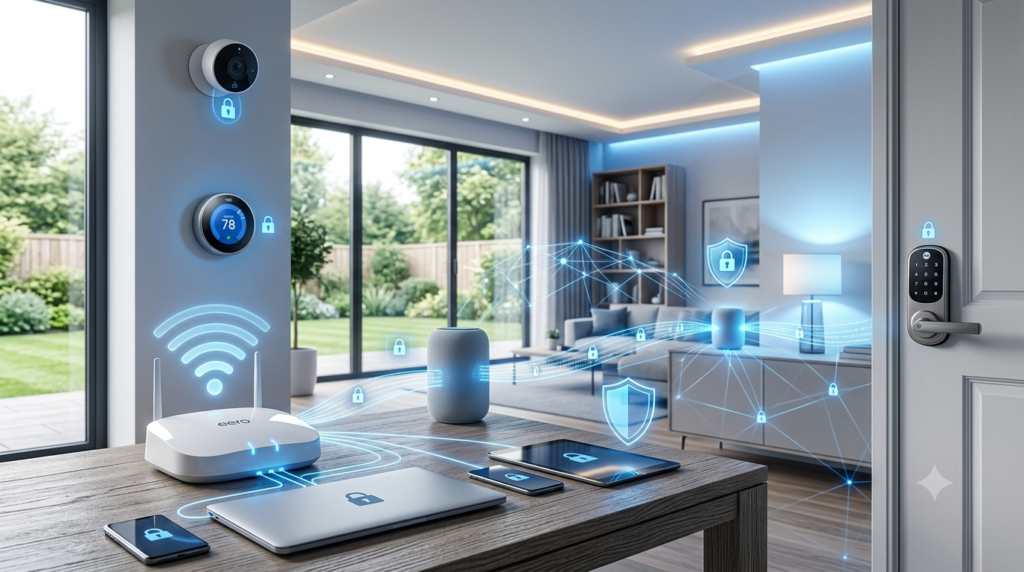
Modern homes are more connected than ever before. From smart TVs and security cameras to voice assistants, lighting systems, smart locks, and connected appliances, technology has transformed the way we live. While these innovations offer convenience and efficiency, they also introduce new cybersecurity risks that many homeowners overlook.
An unsecured Wi-Fi network or poorly configured smart device can become an easy target for hackers, putting your personal information, privacy, and even your home security at risk. Fortunately, protecting your connected home doesn’t have to be complicated.
At Home IT Services, we help homeowners create secure, reliable networks that support modern lifestyles. Whether you’re using a few smart devices or investing in comprehensive home automation services, this guide will help you secure your home network with confidence.
Why Home Wi-Fi Security Matters More Than Ever
Your Wi-Fi network is the digital gateway to your home. Every connected device communicates through it, including:
- Smart TVs
- Security cameras
- Smart doorbells
- Home assistants
- Mobile phones
- Tablets
- Laptops
- Gaming consoles
- Smart thermostats
- Smart lighting systems
If your Wi-Fi network is compromised, attackers may gain access to these devices, monitor your online activity, steal sensitive information, or use your network for malicious purposes.
As more households adopt smart home technology, cybersecurity should become just as important as installing locks on your front door.
Secure Your Wi-Fi Network with the Right Settings
The first step toward protecting your connected home is securing your wireless router.
Start by changing the default administrator username and password that came with the router. Many cybercriminals know these factory credentials and can exploit them if they remain unchanged.
Next, create a strong Wi-Fi password using a combination of:
- Upper and lowercase letters
- Numbers
- Special characters
Avoid using birthdays, names, or common words.
Whenever possible, enable WPA3 encryption. If your router doesn’t support WPA3, use WPA2 as a minimum security standard. Older protocols like WEP should never be used because they are easily compromised.
It’s also important to rename your Wi-Fi network (SSID) so it doesn’t reveal your router model or personal information.
These simple changes dramatically reduce the chances of unauthorized access.
Keep Your Smart Devices Updated
Many smart devices receive regular firmware updates that fix newly discovered security vulnerabilities.
Unfortunately, homeowners often forget about these updates because smart devices don’t receive the same attention as computers or smartphones.
Make it a habit to:
- Enable automatic firmware updates
- Regularly check manufacturer apps
- Replace devices that no longer receive security updates
- Remove devices you no longer use
Outdated firmware is one of the most common ways hackers gain access to connected homes.
Professional home automation services can also ensure that every connected device remains properly configured and updated.
Strengthen Your Home Network with Smart Device Management
The average home now contains dozens of internet-connected devices.
Rather than allowing everything to share the same network, consider separating devices into different Wi-Fi networks.
Many modern routers allow you to create:
- A main network for computers and phones
- A guest network for visitors
- A separate IoT (Internet of Things) network for smart devices
This network segmentation prevents hackers from accessing your personal devices if one smart gadget becomes compromised.
You should also:
- Disable features you don’t use
- Turn off remote access when unnecessary
- Remove old connected devices
- Monitor unfamiliar devices connected to your network
At Home IT Services, we regularly help homeowners optimise their networks to improve both security and performance.
Protect Your Privacy Beyond the Router
Securing your router is only part of the solution.
Many smart devices collect personal information, including:
- Voice recordings
- Video footage
- Usage habits
- Location data
Take time to review each device’s privacy settings.
Disable unnecessary data sharing and only enable features you actually use.
Whenever available:
- Enable two-factor authentication (2FA)
- Use unique passwords for every smart home account
- Avoid reusing passwords across multiple services
- Store passwords in a reputable password manager
Small changes like these significantly reduce your exposure to cyber threats.
Common Wi-Fi Security Mistakes Homeowners Make
Even well-designed home networks can become vulnerable because of simple mistakes.
Some of the most common include:
Using weak passwords
Passwords such as “password123” or your family name remain surprisingly common.
Ignoring firmware updates
Delaying updates leaves known vulnerabilities unpatched.
Buying cheap smart devices
Low-cost devices sometimes receive little or no long-term security support.
Connecting everything to one network
Separating IoT devices from personal devices greatly improves security.
Leaving unused devices online
Old cameras, plugs, or smart speakers can become forgotten entry points for hackers.
Avoiding these mistakes goes a long way toward protecting your connected home.
Why Professional Home IT Support Makes a Difference
Technology continues to evolve rapidly, making home cybersecurity more complex each year.
Professional assistance ensures your network is configured correctly from the start and continues operating securely over time.
Experienced technicians can:
- Secure your Wi-Fi network
- Configure routers correctly
- Optimise wireless coverage
- Install smart home devices safely
- Improve network performance
- Set up secure remote access
- Configure home automation systems
- Troubleshoot connectivity issues
- Protect connected devices from cyber threats
Whether you’re installing a few smart gadgets or building a fully connected home, professional guidance helps you avoid costly mistakes while improving reliability.
With expert home automation services, every device works together securely and efficiently.
Final Thoughts
A connected home offers incredible convenience, but convenience should never come at the expense of security.
By strengthening your Wi-Fi network, updating your devices, using strong passwords, enabling modern encryption, and managing your smart devices carefully, you can dramatically reduce your cybersecurity risks.
The investment in proper home network security protects not only your devices but also your family’s privacy, financial information, and peace of mind.
At Home IT Services, we specialise in helping homeowners build secure, reliable, and future-ready home networks. From Wi-Fi optimisation and cybersecurity to complete home automation services, our experienced team provides practical solutions designed around your home and lifestyle.
A secure smart home starts with a secure network—and taking action today is the best way to protect tomorrow.