Servers play an essential role in managing websites, business applications, databases, cloud platforms, and online services. Organizations depend on servers to process large amounts of information, handle multiple users, and maintain uninterrupted operations.
While processors and storage devices often receive attention when discussing server performance, memory is equally important. It directly influences how quickly a server processes information, handles workloads, and responds to requests.
Choosing the right memory configuration can significantly improve system efficiency and reduce performance-related problems. Businesses that invest in suitable hardware can create a more reliable IT infrastructure capable of supporting growing operational demands.
Understanding the Role of Memory in Servers
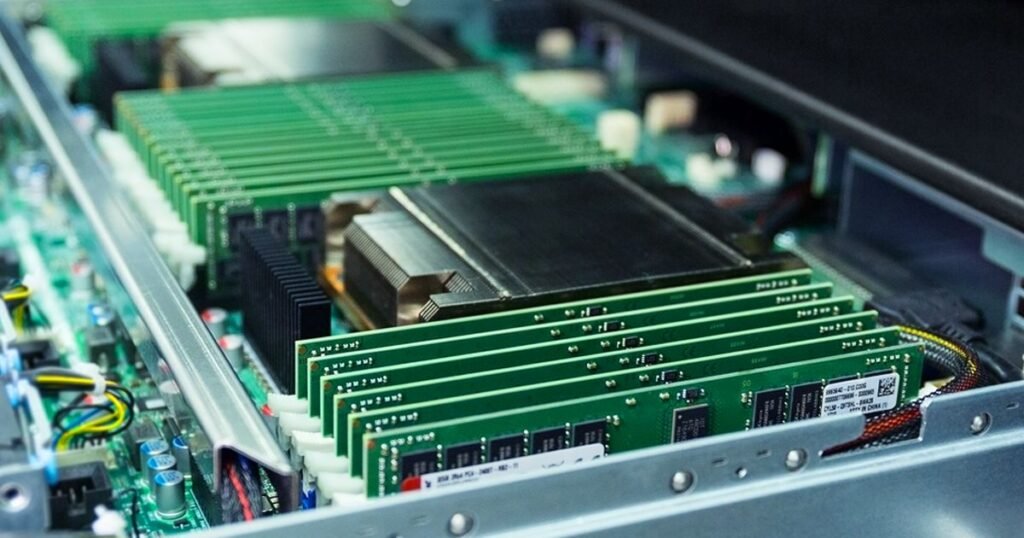
Memory is a temporary storage component that allows a server to access information quickly while running applications and processing tasks. Unlike traditional storage drives, which retain information for long periods, memory provides fast access to the data and instructions currently being used by the system.
Whenever a user opens an application, accesses a database, or requests information from a website, the server uses memory to manage the necessary operations. Having sufficient memory allows the system to process more requests without repeatedly retrieving information from slower storage devices.
Memory capacity, speed, compatibility, and configuration all influence overall system performance. Businesses must consider these factors when selecting hardware for their particular workloads.
1. Faster Application Performance
One of the most noticeable benefits of sufficient Server Memory is improved application performance. Business applications often require temporary storage to process information, execute commands, and manage active sessions.
When a server has enough memory, applications can access frequently used data without unnecessary delays. This helps reduce loading times and creates a smoother experience for employees, customers, and website visitors.
For example, an e-commerce platform may receive hundreds or thousands of requests simultaneously. Each request requires system resources to process product information, customer accounts, shopping carts, and payment-related operations. Adequate memory helps the server manage these activities more efficiently.
This improvement is particularly important for businesses operating resource-intensive applications, enterprise software, and online platforms.
2. Better Multitasking and Workload Management
Modern servers rarely perform only one task. They frequently manage multiple applications, databases, virtual machines, and background processes simultaneously.
Insufficient memory can limit the number of operations a server handles efficiently. When available resources become restricted, the operating system may rely more heavily on storage-based virtual memory, which is generally slower than physical memory.
Additional capacity allows servers to support more simultaneous processes while maintaining responsive performance.
For organizations running virtualization environments, this advantage is especially valuable. Each virtual machine requires memory resources to operate independently. A suitable configuration allows businesses to run multiple virtual systems without unnecessarily reducing performance.
3. Improved Database Processing
Databases are among the most memory-intensive components of many business environments. They frequently access information, execute queries, update records, and manage transactions.
Having sufficient memory allows database systems to keep frequently accessed information in memory rather than repeatedly retrieving it from storage devices. This can improve query response times and reduce unnecessary disk activity.
For example, an organization managing customer information, inventory records, and financial transactions may process thousands of database requests every day.
A properly configured memory environment helps databases handle these requests more efficiently. It can also improve the performance of reporting tools and business intelligence applications.
However, the actual improvement depends on database configuration, workload characteristics, processor performance, and storage capabilities.
4. Greater System Stability and Reliability
Reliability is essential for businesses that depend on continuous access to digital services. Unexpected server interruptions can affect productivity, customer satisfaction, and revenue.
Memory capacity and quality contribute to overall system stability. When a server regularly operates with insufficient memory, applications may become unresponsive, processes may fail, and system performance can deteriorate.
Enterprise-grade memory may also include Error-Correcting Code (ECC) technology. ECC memory can detect and correct certain types of memory errors, helping reduce the risk of data corruption caused by random bit errors.
This feature is particularly useful for database servers, financial systems, virtualization platforms, and other environments where data integrity is important.
Although ECC does not eliminate every possible hardware failure, it provides an additional layer of protection for supported server platforms.
5. Reduced Server Downtime
Server downtime can create serious operational challenges. Employees may lose access to essential applications, customers may experience unavailable services, and business operations may be interrupted.
Adequate memory helps prevent performance problems associated with resource shortages. When applications receive the resources they need, they are less likely to experience memory-related slowdowns or failures.
Proper hardware monitoring is equally important. IT administrators can track memory utilization, identify unusual consumption patterns, and determine when additional capacity is necessary.
Combining appropriate hardware with proactive maintenance helps organizations maintain dependable server environments.
6. Better Virtualization and Cloud Computing
Virtualization allows organizations to run multiple virtual servers on a single physical machine. This approach can reduce hardware expenses, simplify infrastructure management, and improve resource utilization.
However, virtualization environments require sufficient memory because every virtual machine consumes resources while running its operating system and applications.
A well-planned memory configuration allows administrators to host more virtual machines while maintaining acceptable performance.
Cloud computing environments also benefit from efficient memory allocation. Applications hosted in cloud infrastructure often experience changing workloads throughout the day. Having sufficient resources helps systems respond to increased demand without unnecessary performance limitations.
Organizations should regularly evaluate resource consumption to ensure that memory allocation matches actual application requirements.
Why Businesses Choose itnetworkstrade
itnetworkstrade supports businesses looking for dependable IT hardware and technology solutions. Selecting suitable server components is an important step toward building infrastructure that can handle demanding workloads and changing business requirements.
Organizations should prioritize hardware compatibility, product quality, and long-term reliability when upgrading their systems. By choosing appropriate technology solutions, businesses can establish efficient computing environments that support productivity, operational stability, and future expansion.
Conclusion
Server performance depends on several interconnected hardware components, and memory is one of the most important. From faster application processing and improved database performance to better virtualization and system stability, adequate memory supports essential business operations.
Organizations that understand their workload requirements can make informed hardware decisions, reduce performance limitations, and prepare their infrastructure for future growth. Investing in a reliable and compatible memory configuration is not simply a hardware upgrade; it is an important step toward maintaining an efficient, scalable, and dependable IT environment.